

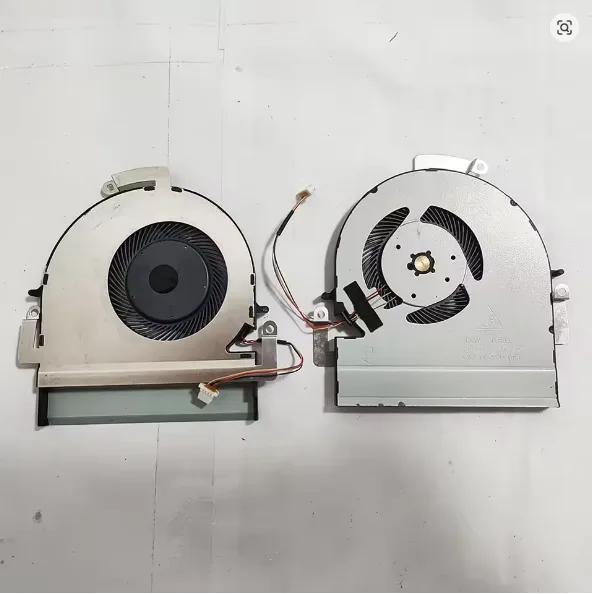



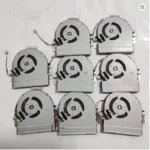


Restore cooling performance with this laptop cooling fan replacement (1PC GPU fan) for ASUS ZenBook Pro UX550, UX550-CW, UX550G, and UX550V. Ideal for fixing overheating, loud fan noise, and sudden shutdowns, this compatible GPU cooling fan helps maintain stable temperatures and smoother performance during gaming, editing, and heavy multitasking. Verify your laptop model and fan connector before ordering for a perfect fit.
Laptop cooling fan replacement for ASUS ZenBook Pro UX550 series
If your ASUS ZenBook Pro UX550 is running hot, lagging during editing, or shutting down under load, the issue is often a worn-out GPU fan. This laptop cooling fan replacement is designed for ASUS ZenBook Pro UX550, including UX550-CW, UX550G, and UX550V models, restoring proper airflow to reduce overheating and performance throttling. Buyers in Pakistan commonly search for “ASUS ZenBook fan replacement”, “GPU fan for laptop”, and “ZenBook Pro UX550 cooling fan” because local weather, dust, and long usage hours can strain the cooling system.
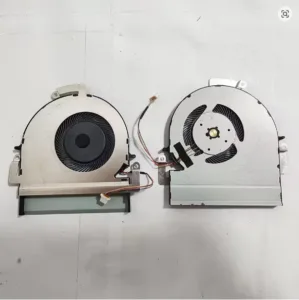
A healthy cooling fan helps protect internal components by stabilizing temperature during gaming, rendering, multitasking, and long Zoom/office sessions. Replacing a noisy, weak, or jammed fan is often the fastest fix compared to expensive board-level repairs.
GPU cooling fan for UX550: fix overheating, noise, and auto shutdown
Common signs you need a replacement include loud grinding noise, fan not spinning, sudden FPS drops, random restarts, or the laptop becoming hot near the exhaust area. This 1PC GPU cooling fan is built to match the UX550 cooling assembly design so the laptop can push heat out efficiently again. When airflow improves, the CPU/GPU can maintain boost clocks longer, which translates into smoother work and fewer thermal warnings.
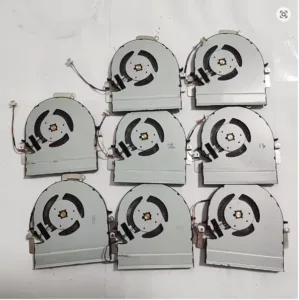
In Pakistan, many users also look for “laptop fan price in Pakistan” and “ASUS laptop fan online Pakistan.” This product fits that intent: it’s a targeted spare part for a specific ZenBook Pro series, helping you avoid trial-and-error compatibility issues.
Compatible models (ASUS ZenBook Pro UX550 fan)
This GPU fan is intended for the following variants:
- ASUS ZenBook Pro UX550
- ASUS ZenBook Pro UX550-CW
- ASUS ZenBook Pro UX550G
- ASUS ZenBook Pro UX550V
Before ordering, match your laptop model code and compare the fan shape/connector with your existing part. If your unit was previously repaired, a quick visual check prevents mismatch.
Why replace instead of “cleaning only”?
Cleaning dust can help for a short time. But if the bearing is worn or the fan blades wobble, the noise and overheating come back quickly. A proper laptop cooling fan replacement restores stable RPM, lowers operating temperature, and improves daily reliability. It’s especially useful if you do gaming, Adobe work, coding, or CAD on the UX550.
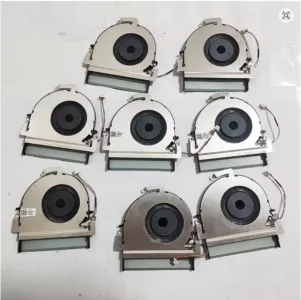
Installation tips (recommended)
Professional installation is recommended if you’re not used to opening ultrabooks. Use ESD safety, keep screws organized, and replace thermal paste only if you’re confident. After installation, run a temperature test and confirm the fan ramps up normally.
FAQ (Laptop cooling fan replacement)
Q1: How do I confirm this is the right laptop cooling fan replacement for my UX550?
Check the exact model (UX550 / UX550-CW / UX550G / UX550V) and compare the fan’s connector and mounting points with your original fan.
Q2: Will a new GPU fan reduce overheating and FPS drops?
Yes—if the old fan is weak or failing, replacement typically improves airflow and reduces thermal throttling during load.
Q3: My fan is noisy—does that mean it must be replaced?
Grinding, rattling, or inconsistent spinning usually indicates bearing damage. Cleaning rarely fixes worn bearings long-term.
Q4: Can I install it at home in Pakistan?
You can if you have the right tools and experience, but a laptop technician is recommended for safe installation and to avoid connector damage.













Reviews
Clear filtersThere are no reviews yet.